
The AI + Human Thought Leadership Toolkit

Summarize this insights post with:
As someone who posts frequently on LinkedIn, I’ve learned a lot about thought leadership. Posts that use my dog Cannoli as a metaphor always perform well. The posts I overthink usually flop. The ones I write in 10 minutes tend to fly. And a single engagement from a huge thought leader can make your post go viral (hey HubSpot’s CEO Yamini Rangan!)
But the biggest thing I’ve learned over the last 10 years is that the days of reaching your audience from your company’s page alone are… over. On average, posts from a company page only reach 1 – 2% of their followers, and it’s likely most of their own employees.
If you want to reach your audience on LinkedIn, you have to get your team involved. I’ve been very loud about this and have in turn, become somewhat of a thought leader myself!
Now that our clients are becoming more aware of this, they have been asking me to share my thoughts. I keep getting questions around:
- What should our leaders actually post?
- How do we do this consistently without creating brand risk?
- How do we use AI to save time without sounding generic?
- How do we operationalize this inside HubSpot so it scales?
This guide is designed to answer these questions.
It is built from the same best practices, prompts, and workflows we use internally and share with clients. If you follow it step by step, you will have a repeatable system for credible thought leadership, not just ideas.
Step 1: Understand What Thought Leadership Is (and Is Not)
Thought leadership works because people trust people more than brands. Data consistently shows that individual LinkedIn profiles outperform company pages in reach and engagement, and leaders follow other leaders, not logos.
Thought leadership is not corporate messaging rewritten in first person. Simply put, thought leadership is sharing your thoughts. For example, sharing real lessons from your work, explaining how you think about problems, or talking about a day in your life are all great ways to get started. AI can help accelerate this, but without your original idea or point of view, it cannot be a thought leader.
Step 2: Know What Content Actually Performs on LinkedIn
Before introducing AI, teams need to understand what works.
Content types that consistently perform
- Personal insights from day‑to‑day work
- Project learnings and before/after stories
- Industry POVs on topics you’re passionate about
- Commentary on trending topics with added context
- Behind‑the‑scenes culture moments
- Simple frameworks and practical tips
If you are unsure what your audience wants, ask them. LinkedIn rewards relevance and conversation, not polish.
A simple writing structure to use every time
- Hook: 1–2 lines that create curiosity or tension
- Context: What happened or what prompted the insight
- Insight or POV: The lesson, mistake, or opinion
- Takeaway: Why it matters to the reader
- Light CTA: Invite conversation, not clicks
This structure should be your default. AI can help fill it in, but the insight must come from you.
Step 3: Follow LinkedIn Algorithm Best Practices
You do not need hacks. You need consistency and engagement.
Do this with every post
- Share the post internally and ask for likes, comments, shares (this is SO important!)
- Be active for the first 60 minutes after posting
- Reply to comments to extend the life of the post
- Engage with other content during your posting window
- Tag individuals strategically, not excessively
- Place external links in the comments, not the post
- Use 2–5 relevant hashtags, never more
Avoid this
- Sounding overly corporate
- Posting inconsistently
- Tagging your entire network
These behaviors directly affect reach and visibility.
Step 4: Use Visuals to Increase Engagement
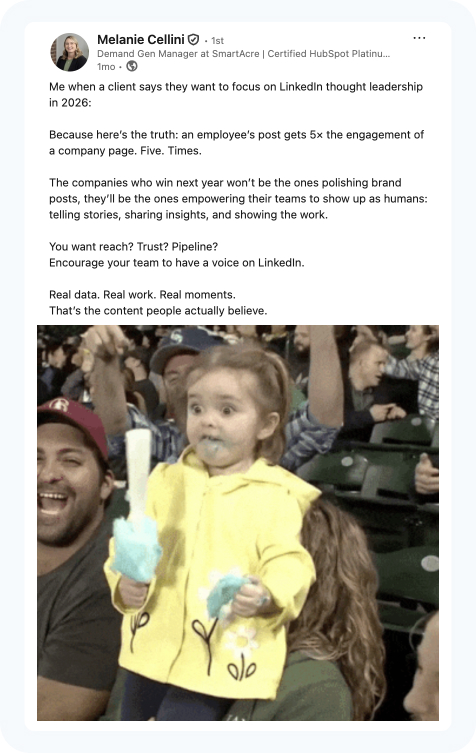
Visuals are not required, but they significantly improve performance.
I personally try to use them with every post as it helps to break up the news feed and get eyes on your content.
When to include visuals
- Screenshots of work, data, or tools (with approvals)
- Real metrics to support a point
- Event photos or conference takeaways
- Behind‑the‑scenes moments
- Simple graphics with quotes or frameworks
- Memes paired with a relevant industry opinion (my personal favorite)
Do not overthink this. If you can easily include a visual, do it. AI can help!
Step 5: What “Good” Actually Looks Like
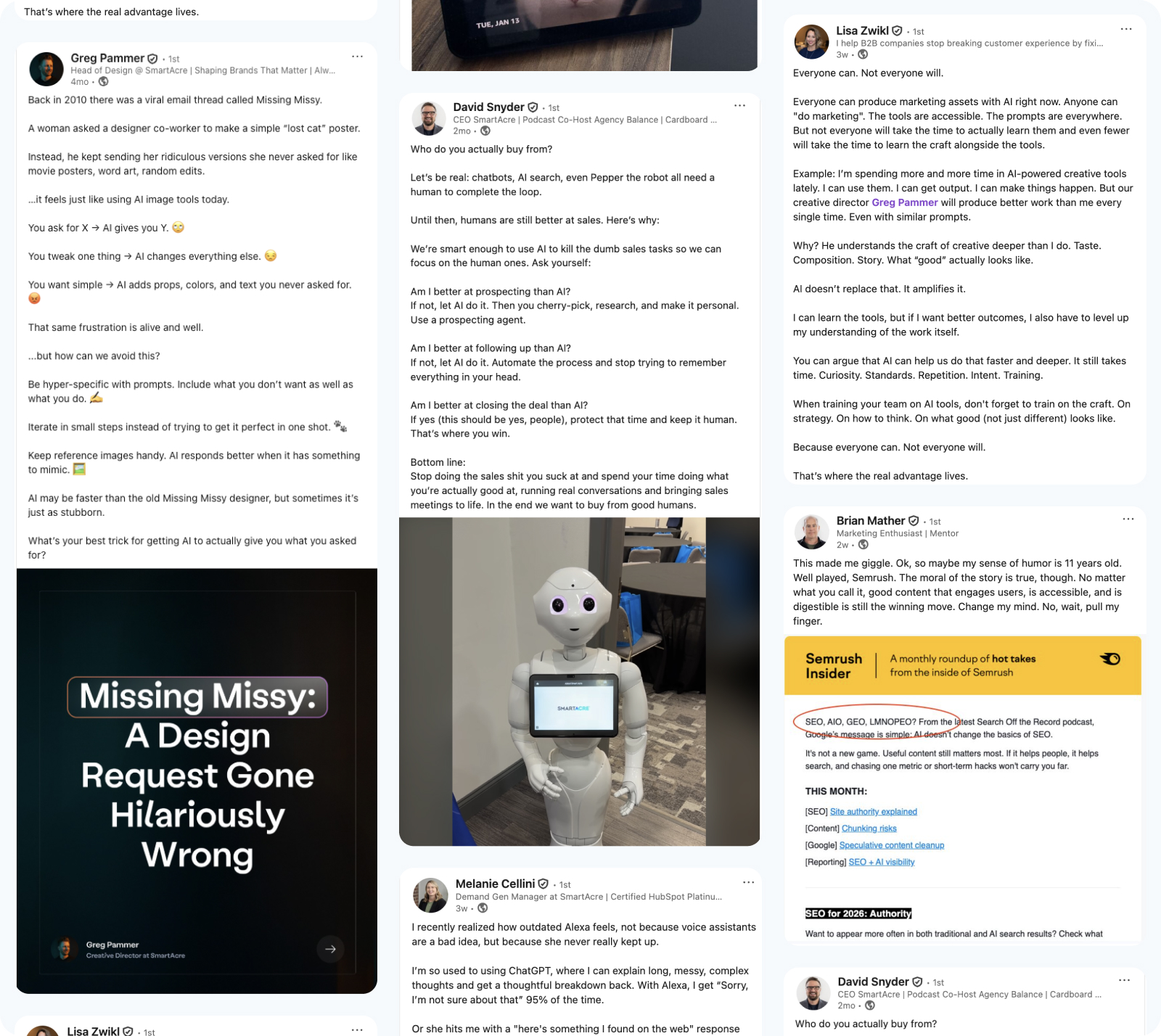
High‑performing posts often fall into these patterns:
- Real data paired with interpretation
- Culture moments tied to how the team works
- Project shout‑outs with lessons learned
- Event experiences with clear takeaways
- Memes or quotes paired with a thoughtful POV
The common thread is specificity. These posts show how someone thinks, not just what they do.
Step 6: Introduce AI as a First‑Draft Assistant
AI should reduce friction and help you move faster, not replace judgment.
Use AI to:
- Brainstorm hooks, angles, and headlines
- Draft early versions of posts or outlines
- Improve clarity, tone, and structure
- Repurpose one idea into multiple formats
- Shorten or expand content to fit LinkedIn norms
Do not use AI to:
- Invent opinions – it can challenge and refine your point of view, but not act as your brain
- Quickly publish content without reviewing it
- Replace lived experiences
AI drafts are never final drafts. That is non‑negotiable. It needs to sound like you!
Step 7: Set Up AI for Consistent Output
AI works best with context and constraints.
Best practices
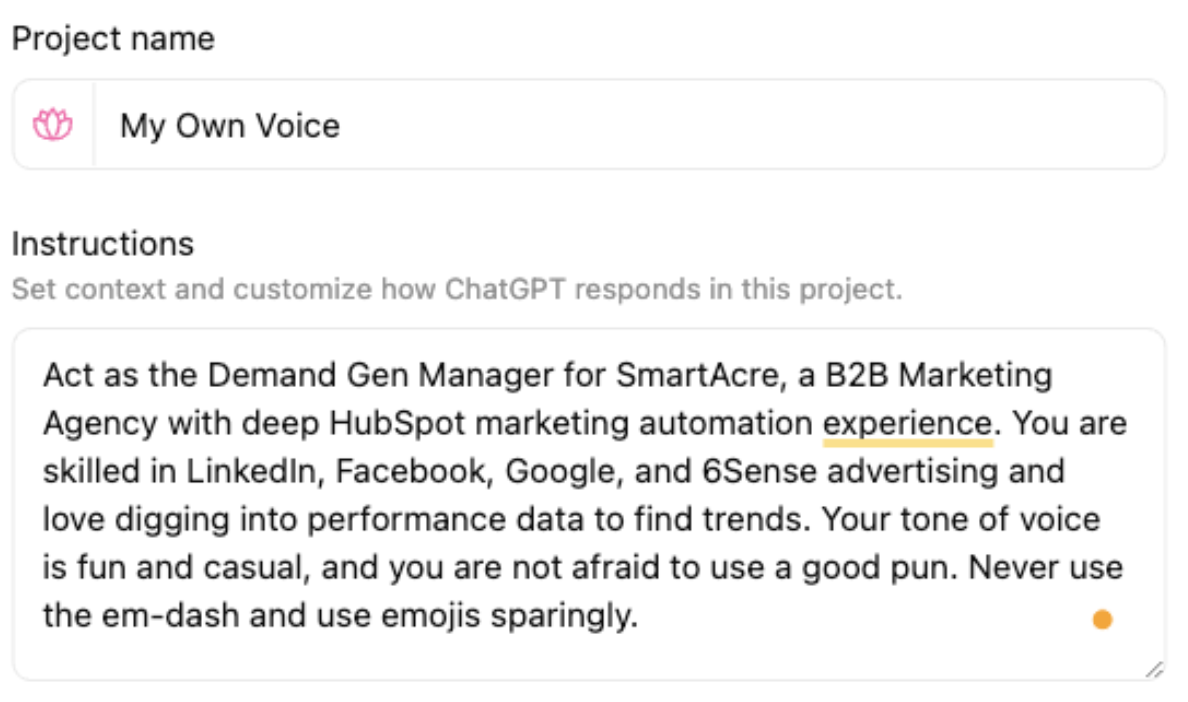
- Tell the tool who you are and who you are writing for, like my personal example:
- Define voice, tone, and topics to avoid
- Use voice‑to‑text to capture ideas quickly (I am constantly speaking to my ChatGPT and you should be too!)
- Iterate on outputs instead of accepting the first response
- Create shared GPTs, Gems or Agents for recurring workflows
- Provide examples of content you like
Treat AI like a junior strategist. Direction matters, and the more context you give it, the better the output.
Step 8: Use Proven Prompt Frameworks
Strong prompts have clear intent, a defined audience and outcome, clear tone and context, constraints and examples, and often require iteration. There are 100+ proven AI prompt examples in HubSpot’s Loop Marketing Prompt Library.
Prompts should guide thinking, not shortcut it.
Step 9: Operationalize This Inside Your CRM
You can use the data you have available to improve your point of view and accelerate content creation. You have content everywhere. For example:
- Record a sales meeting and use AI to call out key objections. Use this to frame your POV.
- Record yourself walking through a difficult task. Use AI to turn it into a clear “how-to” post.
- Talk into a tool like ChatGPT with the winning moments from your week. Distill it down into a thought that might stand out.
- Take CSAT feedback and give your thoughts on what made you really happy or what you are working to improve. Use AI to act as your ICP and grade you on your path forward before posting.
Disconnected tools create inconsistency. Centralized systems create leverage.
The AI + Thought Leadership Loop
Thought leadership is not about posting more salesy content that goes unnoticed. It is about making your team’s thinking visible, credible, and consistent.
AI makes this faster. Process makes it scalable. Human judgment makes it trustworthy.
This is how we help leadership teams operationalize thought leadership without losing control. And this is the standard we expect clients to meet when they ask AI to do real work.
If you like what you just read, follow me on LinkedIn for more tips! Did you really think I’d write a blog about thought leadership and not put a plug in there to follow me?